You finally created your digital product.
The product page is ready.
Your mockups look cute.
You publish your first Pinterest Pin announcing:
“MY NEW DIGITAL PRODUCT IS HERE!”
And then you wonder…
Okay, what am I supposed to Pin tomorrow? 😂
This is where a lot of beginners get stuck.
When you’re trying to promote something online, it’s easy to think every piece of content needs to be about the actual product.
But imagine following an account where every Pin basically says:
Buy this.
Here’s my product.
Did you buy it yet?
That’s exhausting for everyone involved.
Instead, I like thinking about Pinterest content as different doors into your business.
One Pin might lead directly to your product. Another could lead to a helpful blog post. Someone else might discover a free resource first.
As a stay-at-home mom who has built and monetized faceless pages on Instagram and Facebook, I’ve learned that content works much better when it has a purpose beyond constantly selling.
The same idea applies to Pinterest.
So, if you’ve been staring at Canva wondering what to create next, here are 15 Pinterest Pin ideas you can use to promote your digital products in a much more natural way.
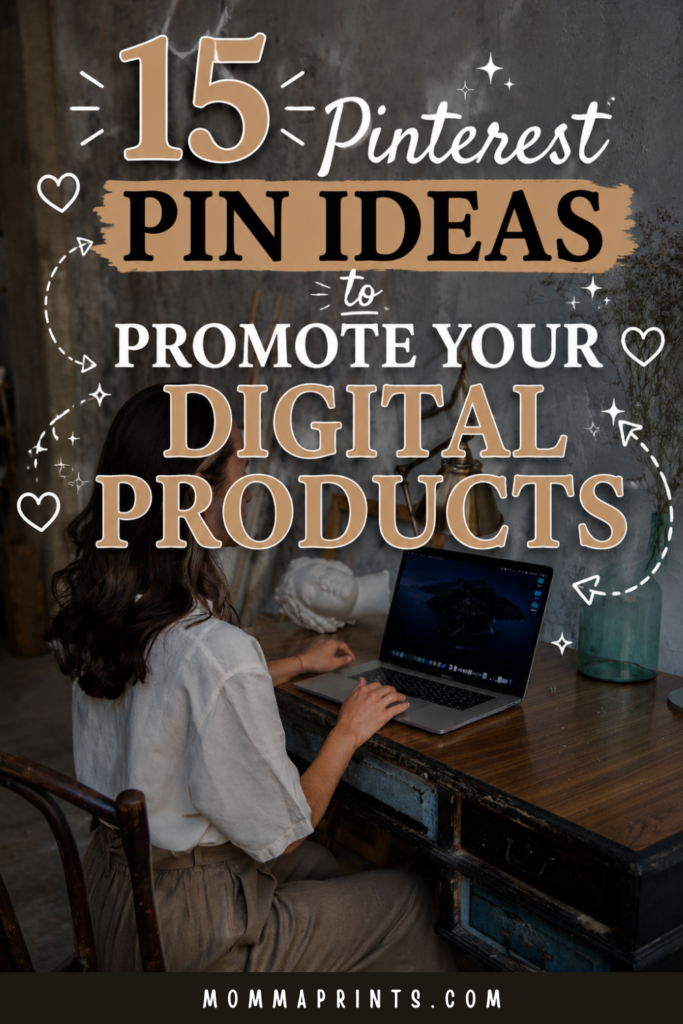
If you have Pinterest, would you mind saving this image for me? 😊
Before You Create Pinterest Pins, Start With Your Customer
Before we get into the ideas, ask yourself one question:
What is my ideal customer already searching for?
Let’s say you sell a social media content planner.
Your customer probably isn’t only searching for:
“Buy social media planner.”
They may be searching for:
How to plan social media content
Monthly content calendar
What to post on Instagram
Those searches give you content ideas.
Instead of only creating Pins about the product, you create Pins around the problems your product helps solve.
That’s where these ideas become much more useful.
1. The Helpful Blog Post Pin
This is one of my favorite options because it lets you help before you sell.
Write a blog post related to your digital product and create a Pin that leads to it.
For example:
How to Batch a Month of Social Media Content in One Day
Inside the article, you can naturally introduce your related planner or template.
The journey becomes:
Pinterest → Blog Post → Product
Your reader gets useful information first, while your product becomes the logical next step.
2. The List Pin
Pinterest and lists just make sense together.
Try headlines such as:
15 Digital Products You Can Sell Online as a Beginner
25 Canva Templates You Can Create and Sell
10 Ways to Plan a Month of Instagram Content
Lists clearly tell readers what they’ll get after clicking.
They’re also easy to turn into attractive vertical graphics without squeezing every list item onto the Pin itself.
Save the details for the blog post.
3. The How-To Pin
Some of the strongest Pinterest Pin ideas start with a simple problem someone wants help solving.
Think:
How to Create Your First Digital Product
How to Sell Digital Products Without Showing Your Face
How to Start a Faceless Instagram Account
A how-to headline signals that the content will help someone accomplish something.
If your product helps with the next step, introduce it naturally inside the article.
4. The Beginner Guide Pin
Never underestimate how many people are searching because they genuinely have no idea where to begin.
And we’ve all been that person.
Create Pins specifically for beginners.
For example:
Beginner’s Guide to Selling Digital Products Online
Or:
How to Start a Faceless Digital Product Business for Beginners
Beginner-focused content can introduce people to your brand earlier in their journey.
Help them understand the basics before expecting them to buy.
5. The Mistakes Pin
Mistake-based content creates curiosity because nobody wants to accidentally make things harder for themselves.
Try:
7 Digital Product Mistakes Beginners Should Avoid
5 Pinterest Mistakes That Could Be Hurting Your Traffic
10 Mistakes New Faceless Instagram Accounts Make
Keep the headline useful rather than dramatic.
You don’t need:
“THIS ONE MISTAKE IS DESTROYING YOUR ENTIRE LIFE!”
We’re selling digital products, not producing reality television. 😂
6. The Checklist Pin
Checklists can work especially well when your audience is trying to complete a process.
For example:
Digital Product Launch Checklist for Beginners
Pinterest Profile Setup Checklist
Faceless Instagram Starter Checklist
The Pin could lead to a blog post containing the checklist or to a relevant free resource.
A helpful freebie can also give readers a reason to join your email list.
7. The Problem-and-Solution Pin
Think about the frustrating moment that happens right before someone needs your product.
Maybe they’re thinking:
“I never know what to post.”
A Pin could say:
Never Know What to Post? Try This Simple Monthly Content System
If you sell a content planner, that topic fits your product beautifully.
You’re not forcing the sale.
You’re connecting the product with a real problem.
Want to Build the Business Behind Your Content?
Pinterest Pins can bring attention to your content, but the bigger goal is building something behind those clicks.
That’s one reason I created:
The Faceless Business Blueprint: Build, Grow & Monetize a Social Media Brand Without Showing Your Face.
The free guides here on MommaPrints give you beginner-friendly starting points for things like content creation, digital products, Pinterest, and faceless social media.
Inside the Blueprint, I go deeper into the how behind building your faceless presence, creating purposeful content, growing an audience, exploring monetization, and developing a business around your brand.
Keep using the free resources while you’re learning.
When you’re ready for the deeper roadmap, the Blueprint is there.
8. The Direct Product Pin
Yes, you can absolutely create Pins about the actual product.
Not everything needs a 1,500-word blog post in between. 😂
Create a clean product-focused Pin showing what you’re offering.
Your headline might say:
30-Day Faceless Content Planner
Then use supporting copy to explain what it helps with.
Make sure the destination clearly matches what the Pin promises.
If someone clicks expecting a planner, they should land somewhere they can learn about that planner.
9. The What’s-Inside Pin
People want to know what they’re buying.
One of the easiest Pinterest Pin ideas for a digital product is showing what comes with it.
For an ebook, you might highlight:
What’s Inside The Faceless Business Blueprint
For a template bundle:
What’s Included in This Social Media Template Pack
Show mockups or previews where appropriate.
The goal is clarity.
Help potential customers understand the offer rather than making them guess.
10. The Before-and-After Pin
This doesn’t have to mean dramatic income claims.
Instead, focus on the transformation your product is designed to support.
For example:
Before: Staring at Instagram wondering what to post.
After: A month of content ideas planned and organized.
If you sell a content planner, that’s a clear transformation.
Keep claims realistic.
Your product can make a task easier without promising that someone’s entire business will magically change overnight.
11. The Quick-Tips Pin
Give away a small, genuinely useful piece of information.
Try:
5 Quick Tips for Creating Better Pinterest Pins
3 Ways to Make Your Digital Product Easier to Sell
5 Faceless Content Tips for Beginners
The Pin leads to a blog post where readers get the full explanation.
From there, they can discover related resources or products.
Useful free content lets people experience your brand before deciding whether they want more.
12. The Question Pin
Questions can work well because they sound like the conversation already happening inside someone’s head.
For example:
Can You Sell Digital Products Without a Large Audience?
Do You Need to Show Your Face to Make Money Online?
Can Beginners Really Create Digital Products in Canva?
Then answer the question honestly in the destination content.
Don’t create fake mystery when the answer is simple.
Use the question to start the conversation.
13. The Comparison Pin
Comparison content can help people make decisions.
You might create:
Ebook vs. Printable: Which Digital Product Should You Create First?
Or:
Instagram vs. Pinterest for Promoting Digital Products
Comparison posts can also naturally lead to your other related articles.
That helps Pinterest visitors explore more of your website instead of reading one page and disappearing.
14. The Freebie Pin
Not every Pinterest visitor will be ready to buy.
Give them another way to connect.
Create a Pin promoting something useful for free, such as:
Free Canva Template
Free Digital Product Checklist
Free Content Planning Guide
Free Faceless Business Resource
A relevant freebie can lead people toward your email list.
Then you have another opportunity to share useful tips, blog posts, and relevant products later.
15. The Seasonal or Timely Pin
Think about whether your product connects with a season, event, or planning period.
A content planner could become:
Plan Your Social Media Content for the New Year
A budgeting printable might fit:
New Year Budget Planner for Beginners
A teacher resource could connect with back-to-school searches.
The key is relevance.
Don’t force Valentine’s Day hearts onto your digital marketing ebook just because February exists. 😂
Use seasonal angles when they genuinely make sense.
Turn One Product Into Multiple Pinterest Pin Ideas
Now look at what just happened.
You don’t need 15 different products.
You can use these Pinterest Pin ideas to promote one product from several useful angles.
Let’s say you sell an ebook about faceless business.
You might create:
A beginner-guide Pin.
A related how-to Pin.
A mistakes Pin.
A direct product Pin.
A what’s-inside Pin.
A free-resource Pin.
A blog-post Pin.
Suddenly, you have several ways for someone to discover the same business.
That’s much better than repeatedly posting the same sales graphic.
Create Multiple Pin Designs for Strong Topics
You can also create more than one creative around a strong piece of content.
Imagine you have a blog post about selling digital products.
One Pin could use bold text and a laptop image.
Another might have a softer magazine-style design.
A third could emphasize a different headline angle.
Keep the destination relevant to what each Pin promises.
Over time, your Pinterest analytics can help you understand which topics and creative approaches generate interest and outbound clicks.
Keep Your Pinterest Content Connected to Your Business
Here’s where I would avoid getting distracted by every popular Pinterest topic.
Your goal isn’t random traffic.
Your goal is getting discovered by people who might genuinely care about your content and products.
If your business is about faceless social media and digital products, build content around those subjects.
That might include:
Faceless Instagram
Digital products
Pinterest marketing
Canva
Online business
Content creation
Work-from-home ideas
These topics can support each other while keeping your overall brand focused.
Don’t Make Every Pin a Sales Pin
If you’re trying to promote digital products, it’s tempting to put your product on everything.
You don’t need to.
Mix promotional content with useful educational content.
Someone might discover one of your blog posts today, save another Pin next week, join your email list later, and eventually decide to purchase.
Not every click has to become an immediate sale.
You’re building multiple paths into your business.
Final Thoughts
The best Pinterest Pin ideas aren’t necessarily the fanciest designs.
They’re the ones that connect the right person with something useful.
Start with your customer’s problems.
Create Pins around what they’re already searching for.
Teach.
Answer questions.
Share lists.
Create beginner guides.
Offer useful freebies.
Show your product when it makes sense.
Then connect those pieces back to your website and digital products.
You don’t need to make every Pin scream:
BUY SOMETHING FROM ME!
Sometimes the best way to promote your product is simply helping the right person find you first.
Ready to Build Your Faceless Business?
If you’re using Pinterest and digital products as part of a bigger faceless business, take a look at:
The Faceless Business Blueprint
Build, Grow & Monetize a Social Media Brand Without Showing Your Face
I created it for beginners who want the deeper how behind building a faceless brand, creating purposeful content, growing an audience, exploring monetization, and developing an online business without making themselves the center of their content.
My experiences are my own, and results aren’t guaranteed. Pinterest traffic, social media growth, sales, income, reach, and monetization vary based on your content, products, niche, audience, marketing, demand, and platform changes.
Keep Reading on MommaPrints
Continue building your Pinterest and digital-product strategy with:
- How to Use Pinterest to Sell Digital Products for Beginners
- How to Get Traffic to Your Digital Products With Pinterest
- 25 Digital Product Ideas You Can Create in Canva
- How to Start a Faceless Digital Product Business for Beginners
Get Free Templates, Tips & Training 💌
Subscribe to MommaPrints for free templates, useful tips, and beginner-friendly training, plus exclusive freebies, early product drops, and special discounts on MommaPrints digital products.
Follow MommaPrints on Pinterest 📌
Follow MommaPrints on Pinterest for Pinterest marketing tips, digital product ideas, faceless business strategies, Canva inspiration, content creation ideas, and beginner-friendly ways to promote your online business.