Creating a digital product is exciting.
You finally finish the ebook, template, printable, planner, or guide you’ve been working on. You upload it to your website. The product page looks cute. Everything is ready.
And then…
Crickets. 😂
That’s the part of selling digital products that doesn’t always get talked about enough.
Creating the product is only half the job.
People still need to find it.
When I started building online income through faceless social media, I learned pretty quickly that having something to monetize and having an audience are two completely different things.
I’ve built faceless quote pages on Instagram and Facebook, grown audiences, gotten monetized, and made money without showing my face. Now, I’m also building MommaPrints through blogging and Pinterest.
One thing I especially like about Pinterest is that it gives me another way to connect helpful content with people who are already looking for that topic.
If you’re trying to get Pinterest traffic for digital products, this guide will walk you through the basic strategy without making the process feel like another full-time job.
Think of this as your beginner roadmap.
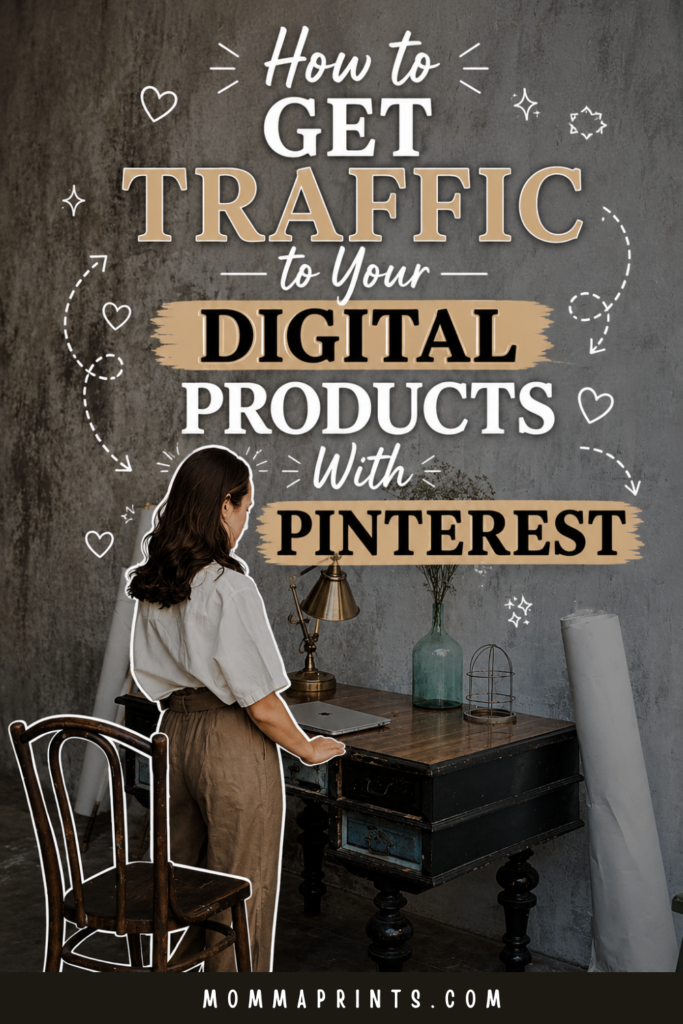
If you have Pinterest, would you mind saving this image for me? 😊
Why Pinterest Can Work for Digital Products
Pinterest is different from the way many of us use traditional social media.
Someone might open Instagram to see what their friends or favorite creators posted.
On Pinterest, people often arrive looking for something.
Ideas.
Inspiration.
Tutorials.
Products.
Solutions.
That’s useful when you’re selling digital products because your potential customer may already be searching for a topic connected to what you sell.
For example, someone selling a social media planner might create content around:
Instagram content ideas
Social media planning
Content batching
Faceless content ideas
Monthly content calendars
Instead of waiting for someone to magically search for the exact name of your product, you’re creating useful entry points into your business.
Step 1: Understand Who You Want Pinterest to Send You
More traffic isn’t always better.
You want relevant traffic.
Imagine you sell a digital planner for small business owners, but your Pinterest account gets thousands of clicks from people searching for toddler birthday cakes.
Nice traffic.
Wrong audience. 😂
Before creating Pins, get clear about:
Who is your product for?
What problem does it solve?
What would that person search for?
Your Pinterest strategy should start there.
If your digital product helps people build faceless Instagram accounts, your content should naturally surround faceless content, Instagram growth, digital products, social media business, and related topics.
That’s how you start attracting people who could actually care about your offer.
Step 2: Find Topics Before Creating Pins
This is one of the biggest mistakes I’d avoid.
Don’t open Canva first.
Start with the topic.
Think about the questions and ideas connected to your product.
Let’s say you sell an ebook about building a faceless business.
Related topics could include:
How to start a faceless Instagram account
How to monetize a faceless page
How to build an online business without showing your face
Now you have topics that can become blog posts and Pins.
Your product isn’t the only thing you’re promoting.
You’re building an entire content library around the problems your product helps solve.
Step 3: Use Pinterest Keywords Naturally
If you want Pinterest traffic for digital products, keywords matter because they help give context to your content.
Think about the words your ideal reader would use to describe what they’re looking for.
If your article is about Canva digital products, related phrases might include:
Canva digital products
digital products to sell
digital product ideas
Canva templates to sell
online business for beginners
Use relevant phrases naturally in places such as your Pin titles and descriptions.
Your Pinterest boards should also have clear topics.
However, don’t stuff every keyword you can think of into one sentence.
Write for humans first.
A description should still sound like something a normal person would willingly read.
Step 4: Create Blog Posts Around Your Products
This is one of my favorite ways to create Pinterest traffic for digital products.
Instead of making every Pin lead directly to a sales page, create helpful blog content related to your offer.
For example:
Let’s say you sell a content planner.
You could publish:
How to Batch a Month of Social Media Content in One Day
Then create Pinterest Pins promoting that article.
Someone searches for content-planning help.
They find your Pin.
Next, they read your article.
While they’re there, they naturally discover that you also have a product designed to help with the same problem.
The path becomes:
Pinterest → Helpful Blog Post → Relevant Product
That feels much more natural than asking a stranger to buy from you the second they discover your brand.
Step 5: Make Your Pin Promise Clear
Your Pin has a tiny amount of time to communicate why someone should care.
Don’t make people guess.
If your blog post is:
25 Digital Product Ideas You Can Create in Canva
your Pin should clearly communicate that idea.
Avoid vague titles like:
MAKE MONEY ONLINE
That’s broad enough to mean almost anything.
Specific headlines tell people what they’ll get after clicking.
Try:
25 Easy Canva Digital Products You Can Create & Sell
Now there’s a clear reason to click.
The Pin doesn’t need to explain the entire article.
It just needs to earn the next step.
Step 6: Design Pins for People, Not Just Your Brand
I love pretty branding.
But readability comes first.
Use a large headline.
Create enough contrast between the text and background.
Keep the design from becoming too crowded.
Remember that many people are viewing Pinterest on their phones.
That beautiful tiny script font might look adorable on your laptop.
On a phone?
It may look like an eye exam. 😂
Keep your branding recognizable, but make sure the message is easy to understand quickly.
Want to Build the Business Behind the Content?
Getting traffic is useful.
But traffic works best when there’s a larger business strategy behind it.
That’s one reason I created:
The Faceless Business Blueprint: Build, Grow & Monetize a Social Media Brand Without Showing Your Face.
The free MommaPrints blog posts are here to give you useful beginner roadmaps.
Inside the Blueprint, I go deeper into the how behind building your faceless presence, creating purposeful content, growing an audience, exploring monetization, and developing a business around your brand.
If you’re still learning, keep reading the free guides.
When you’re ready to connect more of those pieces, the Blueprint is there.

Step 7: Create More Than One Pin for Your Best Content
You don’t have to design one Pin for an article and never touch that URL again.
A strong article can inspire multiple fresh Pin creatives and angles over time.
Suppose your article is:
How to Start a Faceless Digital Product Business for Beginners
Possible Pin headlines might include:
Want to Start a Faceless Digital Product Business? Start Here
A Beginner’s Roadmap to Selling Digital Products Without Showing Your Face
How to Build a Digital Product Business Without Becoming an Influencer
They’re related to the same core topic, but each emphasizes a different angle.
Testing different creative approaches can help you learn what resonates with your Pinterest audience.
Step 8: Create Content Clusters
This is where your blog can start becoming much more intentional.
Instead of publishing random topics, create groups of related articles.
For example, your digital-product cluster might include:
Digital Products to Sell
Canva Digital Product Ideas
How to Create and Sell Digital Products
How to Sell Digital Products on Instagram
How to Use Pinterest to Sell Digital Products
Then connect those articles with relevant internal links.
A reader who arrives from Pinterest has several useful places to go next.
You’re creating a little path through your website instead of hoping they magically know where to click.
Step 9: Don’t Send Everyone Straight to Your Product
Some Pinterest users may be ready to shop.
Others are still learning.
That’s why I like having different destinations.
Some Pins might lead to:
Blog posts
Free resources
Relevant product pages
The right destination depends on what the Pin promises.
If your Pin says:
“How to Create Your First Digital Product”
send the person to content that actually teaches that.
Don’t lure them in with a tutorial and immediately dump them onto an unrelated sales page.
Trust matters.
Step 10: Build Your Email List From Pinterest Traffic
A visitor doesn’t have to purchase for that Pinterest click to be valuable.
Maybe they subscribe instead.
Offer a useful freebie related to your niche.
That could be:
A Canva template
A checklist
A mini guide
A printable
A short training
Now that Pinterest visitor has another way to stay connected with you.
You can continue sharing helpful resources, new blog posts, product updates, and relevant offers through email.
Step 11: Match Your Content to Your Product
Here’s a simple rule I like:
The closer the content is to your product, the easier the transition can feel.
If you sell a faceless-business ebook, content about faceless social media makes sense.
If you sell budgeting templates, budgeting content makes sense.
Someone shouldn’t read an article about organizing their pantry and suddenly be asked to buy a guide about Instagram monetization.
Keep the journey logical.
The goal isn’t to squeeze your product into every article.
It’s to introduce it when it genuinely helps the reader take the next step.
Step 12: Track the Metrics That Match Your Goal
Pinterest numbers can be exciting.
Seeing a Pin get thousands of impressions feels great.
However, impressions aren’t the entire story if your goal is website traffic.
Pay attention to metrics that help you understand whether people are moving from Pinterest toward your website.
Look at which Pins generate outbound clicks.
Compare your topics.
Notice which headlines work.
Watch what happens on your website too.
Are visitors reading other articles?
Joining your email list?
Viewing your product?
Eventually purchasing?
Those signals tell you more about the quality of your Pinterest traffic for digital products than impressions alone.
Step 13: Repurpose Your Best Ideas
You don’t need endless new ideas.
If a blog topic performs well, use it again in another format.
Turn it into:
Another Pin
An Instagram carousel
A faceless Reel
A Facebook post
An email
One strong idea can work across your business.
This is especially helpful when you’re running everything yourself.
I would much rather get more mileage out of one useful idea than sit at my laptop every morning wondering what I’m supposed to create today.
Step 14: Give Your Pinterest Strategy Time
Pinterest isn’t something I’d judge after one week.
You’re building a collection of searchable content.
Keep creating relevant Pins.
Publish useful articles.
Test different headlines.
Improve your designs.
Watch what gets clicks.
Then create more around the topics that show promise.
The goal isn’t to go viral every time.
It’s to build more doors into your website.
Final Thoughts
Getting Pinterest traffic for digital products starts with understanding the person you’re trying to reach.
Don’t begin with:
“How can I promote my product today?”
Start with:
“What is my ideal customer already looking for?”
Then create helpful content around those searches.
Write useful blog posts.
Create clear Pins.
Use relevant keywords.
Build focused boards.
Link related content together.
Give readers a reason to subscribe.
And introduce your product when it genuinely fits.
That’s the bigger picture.
Pinterest doesn’t have to become another platform where you constantly shout about what you’re selling.
Instead, it can become a discovery path that helps the right people find your content, your website, and eventually your products.
Ready to Build Your Faceless Business?
If you’re creating digital products as part of a larger faceless business, take a look at:
The Faceless Business Blueprint
Build, Grow & Monetize a Social Media Brand Without Showing Your Face
I created it for beginners who want the deeper how behind building a faceless brand, creating content, growing an audience, exploring monetization, and turning that audience into a more intentional online business.

My experiences are my own, and results aren’t guaranteed. Pinterest traffic, sales, reach, income, growth, and monetization vary based on your niche, content, products, marketing, audience, demand, platform changes, and other factors.
Keep Reading on MommaPrints
Keep building your Pinterest and digital-product strategy with these related guides:
- How to Use Pinterest to Sell Digital Products for Beginners
- How to Start a Faceless Digital Product Business for Beginners
- 25 Digital Product Ideas You Can Create in Canva
- How to Create and Sell Digital Products Online as a Beginner
Get Free Templates, Tips & Training 💌
Subscribe to MommaPrints for free templates, helpful tips, and beginner-friendly training, plus exclusive freebies, early product drops, and special discounts on MommaPrints digital products.
Follow MommaPrints on Pinterest 📌
Follow MommaPrints on Pinterest for Pinterest marketing tips, digital product ideas, faceless business strategies, Canva inspiration, online business ideas, and beginner-friendly ways to drive traffic to your content and products.